

How to delete your Windscribe account

Winder S
Dec 16, 2025

Deleting your Windscribe account can be done with just a few clicks on the Account tab of your My Account page here: https://windscribe.com/myaccount/account
Scroll to the Danger Zone card at the bottom of the page and click Delete Account:

A Delete Windscribe Account window opens:
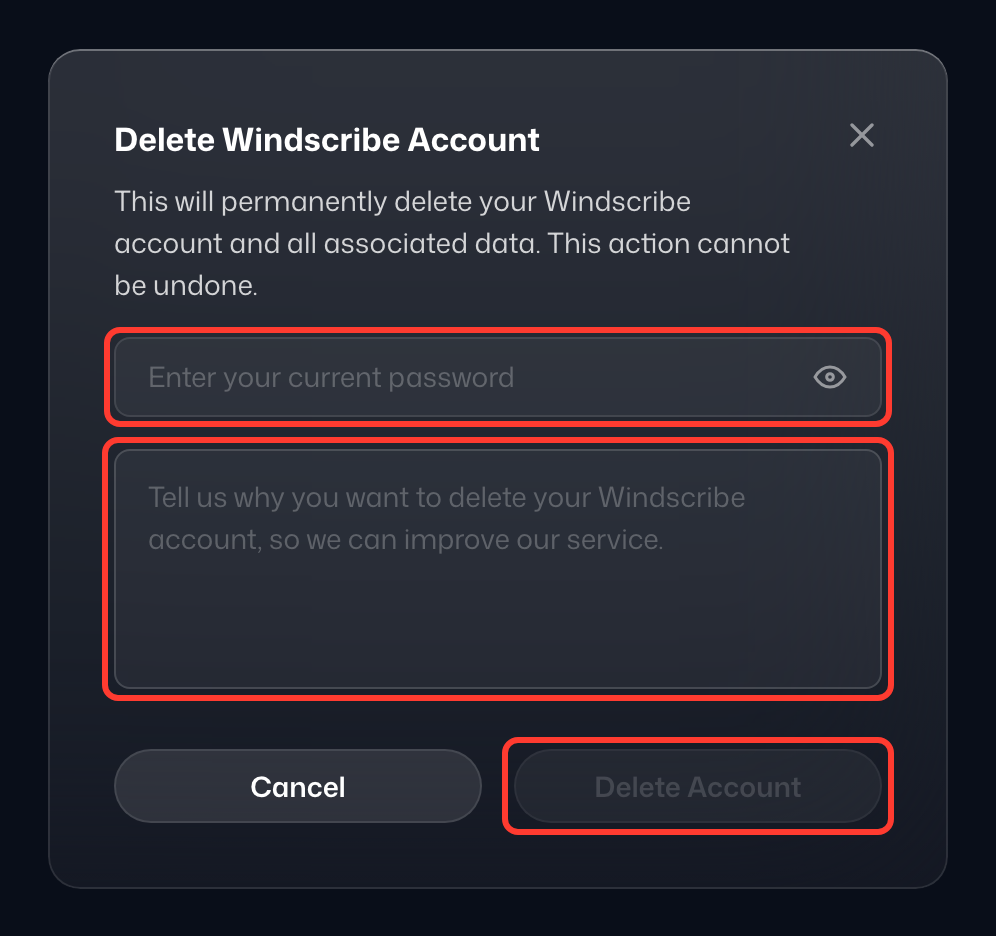
Enter your current password (1), tell us why you are leaving (2), and click Delete Anyway (3); it stays disabled until both fields are filled in. Stay with Compy closes the window without deleting anything. If you are on a paid plan, any time left on it is lost and cannot be refunded. Once you confirm, your account is deleted and you are signed out.
Keep in mind that this is a permanent action so recovering the account once it is gone is NOT possible.