Windscribe
FunctiesAbonnementenDownloadenInloggen
Windscribe
DownloadenWijzigingslogboekPrijzenShopOndersteuningFunctiesOpen sourceEen vriend uitnodigenGratis DNSEthiek en filosofieVPN-servers
Apps
VPN voor WindowsVPN voor AndroidVPN voor MacVPN voor LinuxVPN voor ChromeVPN voor FireTVVPN voor FirefoxVPN voor Apple TVVPN voor MS EdgeVPN voor HuaweiVPN voor iPhoneVPN voor routersWindscribe F-Droid
Bedrijf
Over onsPrivacyVoorwaardenVDPVacaturesBlogInfoGang
Windscribe logo
YouTube
Reddit
Discord
Twitter
Telegram
Instagram
TikTok
© 2026 Windscribe Limited
How To Enable Anti Fingerprinting In The Windscribe Browser Extension
Author
Johnny Hollick
Divider
Help
>
Guides

Our Anti Fingerprinting tool is available in the latest versions of our browser extension for Chrome and Edge (v4.2.2).

Once you've installed the browser extension, here are the steps to enable the feature:

1. Open the browser extension

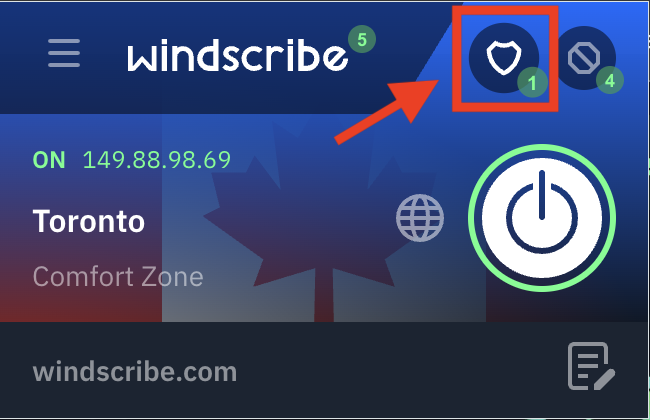
2. Click on the shield icon in the top right corner to open the Privacy options

Privacy options button (shield icon)

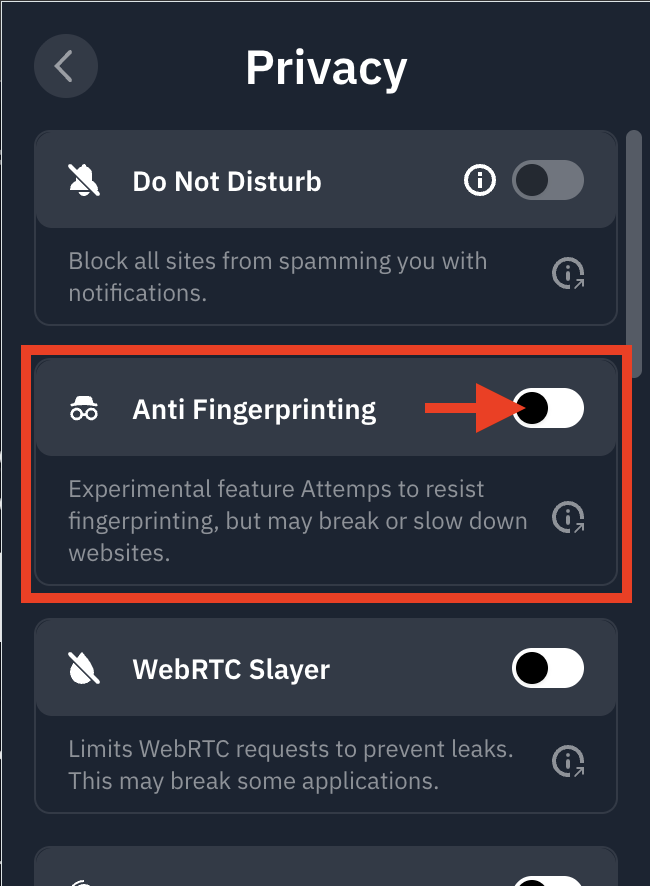
3. Toggle the Anti Fingerprinting switch into the ON position (blue)

Anti fingerprinting toggle location

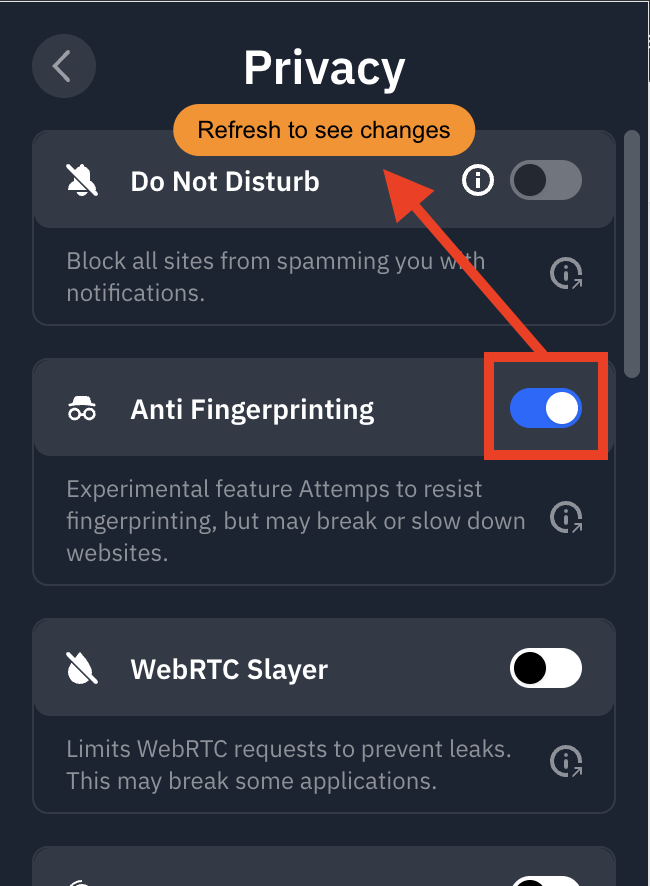
4. Refresh the page to activate the feature immediately

Refresh to see changes

You're all set! Windscribe is now spoofing your common browser characteristics to offer a more consistent digital "profile," helping reduce your uniqueness and boosting online anonymity.

Get in touch

r/Windscribe

Find solutions, discuss ideas and share your feelings on our subreddit.

Discord

Join the discussion with our active community and make real friends!

Contact Support

Feeling completely lost? Contact Support.